

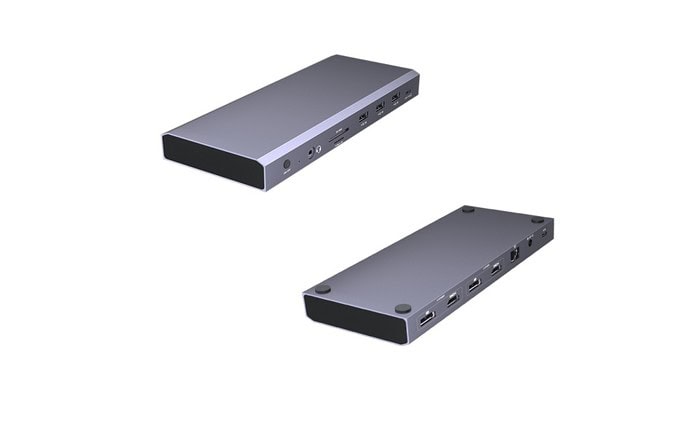
As we use laptops and portable gadgets more, the shortage of ports has become increasingly evident. Ultra-thin computers are beautiful and portable, but they sacrifice connectivity. This is where docking stations shine. A docking station can silently improve your workflow whether you work from home, manage office activities, or use numerous displays for creative endeavors.
What Exactly Is A Docking Station?
Laptop, tablet, and smartphone docking stations are compact devices that boost connectivity. You may quickly access numerous ports with one USB-C or Thunderbolt cable:
- DisplayPort or HDMI for monitors
- Multiple USB ports for accessories
- MicroSD and SD card readers
- Ethernet for reliable internet
- Audio input/output
- Additional USB-C or power delivery ports
A docking station connects ten accessories through a hub instead of individually. It comes closest to turning your laptop into a desktop.
Why Docking Stations Have Become So Popular
Docking stations were once utilized by IT teams and heavy-duty workers. Thin laptop users can benefit from one today. They’re a needed item because:
- Laptop Port Loss
Modern computers like MacBooks, Surfaces, and ultrabooks have minimal ports. Manufacturers deleted ports for slim designs, but docking stations restore them.
- Hybrid Workplaces
People alternate between home, workplace, and co-working. A docking station unplugs and reconnects everything with one wire, saving time and hassle.
- Multi-monitor setups are common Now
Extra screen real estate boosts efficiency when coding, editing films, evaluating reports, or multitasking. Many docking stations easily link dual or triple monitors.
- Cable Management Is Priority
Tangled cords degrade a workspace like nothing else. A docking station centralizes connections, keeping your workspace tidy.
Major Benefits Of Using A Docking Station
- One cable, no hassle
Imagine connecting one cable to power your mouse, keyboard, speakers, external storage, monitors, and internet when you get to your workstation. Convenience alone makes the purchase worthwhile.
- Increased data transfer speed
Faster USB and Thunderbolt on most docking stations offer massive file transfers in seconds. This helps photographers, designers, and video editors.
Stable and Lag-Free Wi-Fi may fail during online meetings or gaming. Fast, reliable internet is available at Ethernet docking stations.
- Extended laptop life
Frequently connecting and unplugging gadgets into your laptop can damage its ports. Using a docking station keeps all peripherals plugged in.
- Great for Creative Professionals
Graphic designers, content makers, and photographers use multiple monitors, memory card readers, external drives, and fast data transfer. A docking station organizes these tools.
Types Of Docking Stations Available Today
1. USB-C Docking Stations
These are versatile, affordable, and compatible with most laptops. They’re perfect for people who need more ports but don’t require extremely high data speeds.
2. Thunderbolt Docking Stations
Thunderbolt docks are more powerful, support higher transfer speeds, and can handle 4K or even 8K displays. Ideal for heavy workloads, video editing, and advanced creative tasks.
3. Portable Docking Hubs
Small and lightweight, these are great for students and travelers. They don’t offer as many ports as full docking stations, but they take care of basic connectivity.
4. Vertical/Full-Size Docking Stations
Built for professional desks, these deliver the highest performance with multiple display outputs, device charging, and plenty of ports.
Features To Look For When Buying A Docking Station
A docking station is a long-term investment, so choosing the right one matters. Here are some features worth considering:
✔ Port Selection
Think about your daily needs. Do you require extra USB ports? Do you need more than one HDMI output? Does your work involve SD or microSD cards?
✔ Charging Capability
Power Delivery (PD) is essential. A good docking station should be able to charge your laptop while powering your connected devices.
✔ Display Support
Check if it supports dual or triple monitors and what resolution those monitors can run (1080p, 1440p, or 4K).
✔ Compatibility
Not all docking stations work with all laptops. Make sure the one you pick supports your device’s operating system and port type.
✔ Build Quality
Aluminum designs dissipate heat better and last longer. Plastic docks can heat up faster and feel less durable.
Setting Up A Docking Station: Simpler Than You Think
- Connect the docking station to a power outlet.
- Plug in your mouse, keyboard, displays, hard disks, etc.
- Use the primary USB-C or Thunderbolt cable to connect your laptop.
- Let your device auto-detect everything.
- Change your laptop’s display settings to adjust your monitor arrangement.
- Setup normally takes less than a minute.
Who Gets The Most Benefit From A Docking Station?
Docking stations aren’t just for techies. Many find it useful:
- Switching office-home remote workers
- Students using numerous study tools
- Gamers needing more displays or reliable internet
- Video editors and designers with big files
- Office workers who scan, print, and monitor
- Programmers that like multiscreen
In conclusion, docking stations help frequent laptop users.
Common Mistakes To Avoid When Choosing A Docking Station
Lack of Laptop Compatibility Check
Some docks are best with certain brands or ports. Always verify compatibility.
Buy the cheapest option available.
Low-quality docking stations overheat, disconnect devices sporadically, or fail within months.
Neglecting Power Delivery
If the dock doesn’t deliver adequate power, your laptop may not charge while working.
Underestimating Future Needs
You may need an extra monitor in six months. We recommend buying a dock with more versatility.
Conclusion
Docking stations enhance your work experience, making them more than just add-ons. It organizes your workspace, saves time, boosts productivity, and maximizes your laptop. Docking stations are useful whether you use multiple devices daily or desire a cleaner office.
Buying the right docking station improves workdays, productivity, and digital life.